In 2015, I discovered Getting Things Done (GTD) by David Allen. It completely changed my life.
I learned GTD by enrolling in Tiago Forte online course called Get Stuff Done Like a Boss. I highly recommend it, it’s much more approachable than the David Allen book.
This post is not meant to be a GTD deep dive, but the summary of GTD is that it teaches you to (thanks to pk14wb from Reddit for the ELI5):
- Take ambiguous inputs (email, conversations, whatever’s on your mind, etc, etc), figure out what they mean, and turn them into concrete things that can be done.
- Track all those ideas in a trusted system.
- Manage and make decisions about all your commitments and responsibilities from a variety of angles.
From 2015 to 2020, I was using Todoist for GTD. However, I always felt limited in connecting my non-actionable and actionable information in one system. That’s where Roam Research came in.
Benefits of using GTD with Roam Research
- Can quickly connect my non-actionable information (research, notes about people) with actionable information.
- Can easily see my TODOs alongside my notes.
- Can query the system which allows me to go back in time easily and keep the context of where I was at or what was happening at the time.
How it’s structured in Roam
I have a page called Vault where I have a list of Areas and a list of Projects.
An area is “a sphere of activity with a standard to be maintained over time”.
A project is “a series of tasks linked to a goal, with a deadline”.
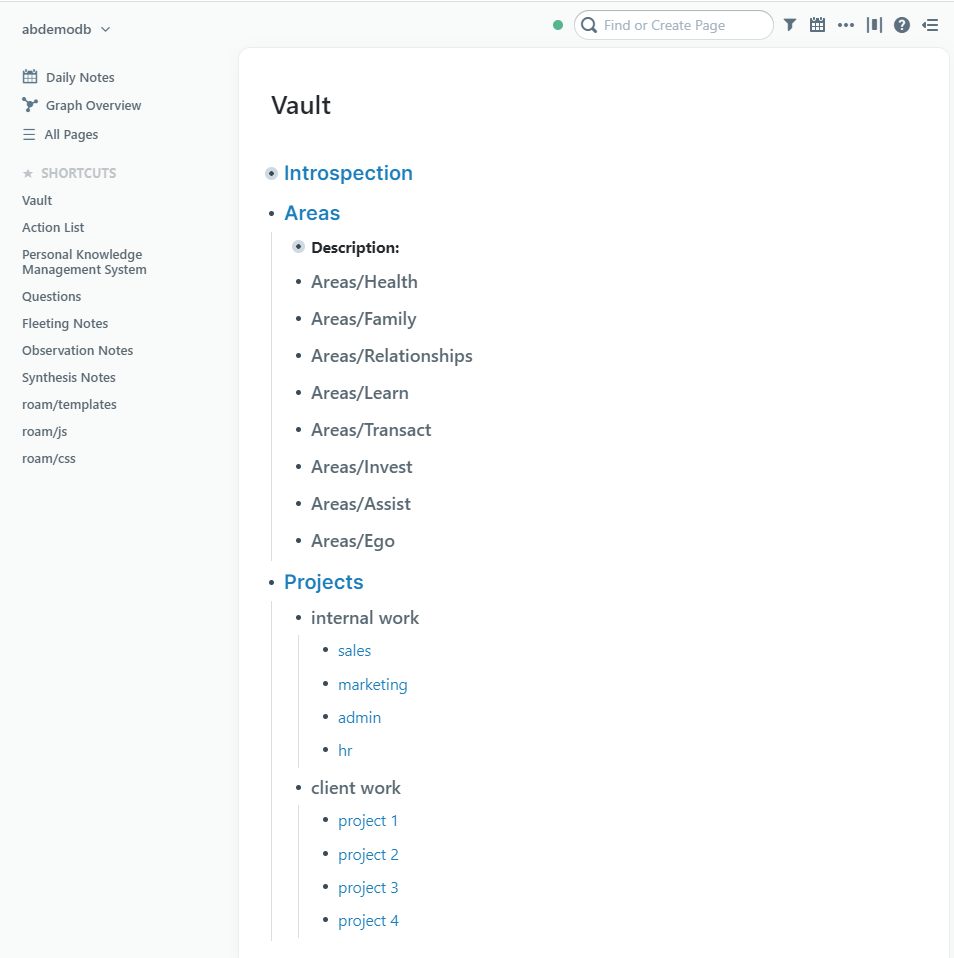
In Roam I try NOT to be too strict on following a specific structure, so TODOs will be under:
- The main headers in Vault when it’s not a big project or it’s one-off actions.
- Within a page of a Project.
- Within the Daily Notes page with a reference to the project.
Here’s what it looks like:
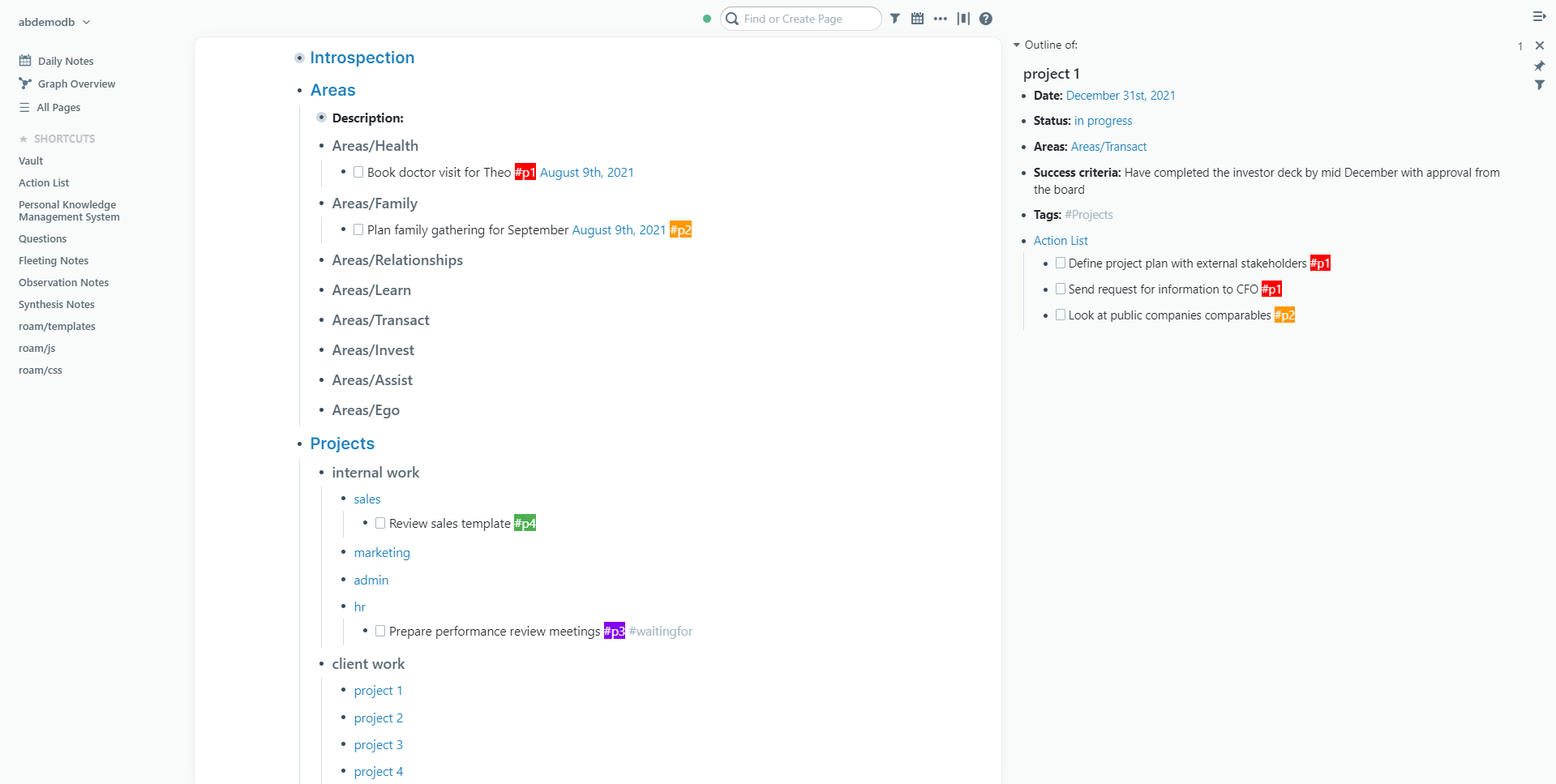
In my case, p1 is typically within the day, p2 within the week, p3 within the month and p4 is someday/maybe. I also have the #waitingfor, that I periodically review.
How I use it in Roam
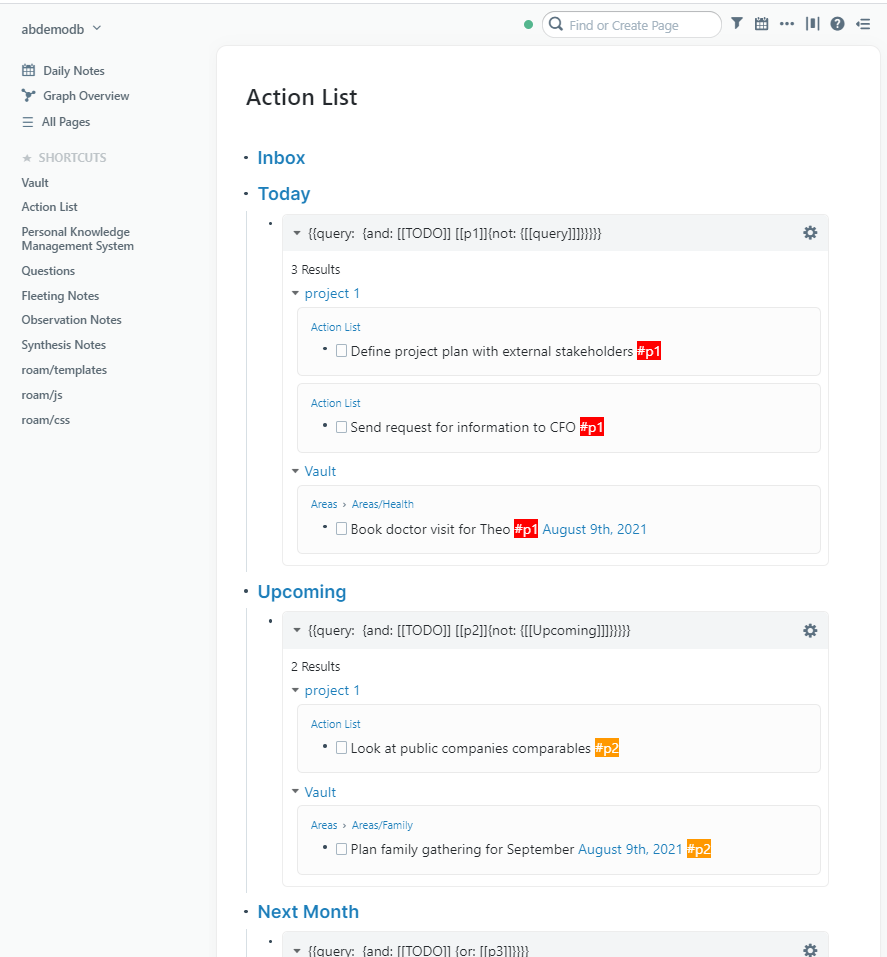
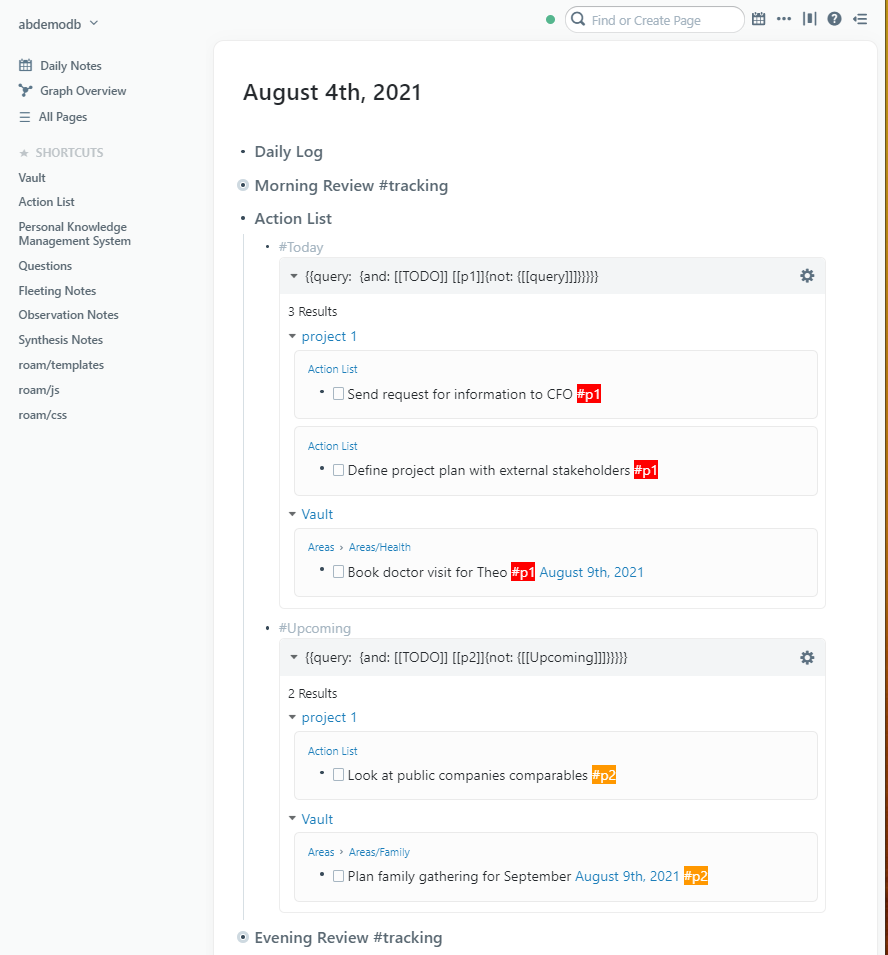
Once I have created or updated my tasks / projects, I will work on my tasks in two places: a page called Action List and in my Daily Notes.
In my Action List page I also have an Inbox section where I add tasks that are unrelated to an area or a project.
In my Daily Note page I use Roam templating system to show my priorities 1 and 2.
Finally, if I want to connect non-actionable with actionable information I will do it:
- under the task.
- within a specific page where the task is referenced as a block.
- i’ll transform the TODOs into a page.